
Do you have any queries regarding our products
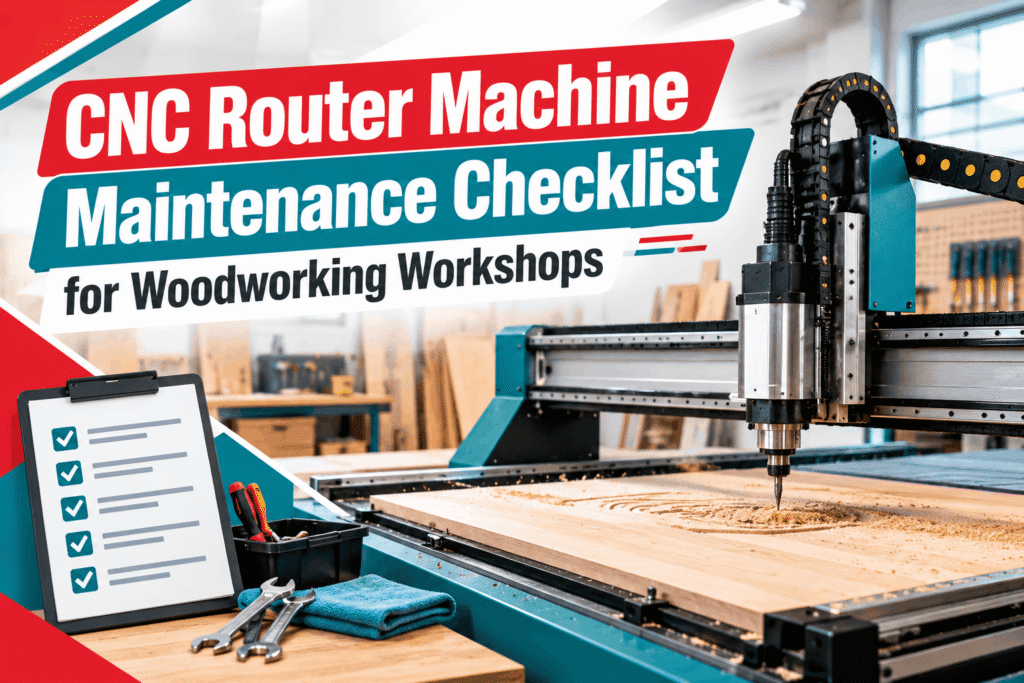
CNC Router Machine Maintenance Checklist for Woodworking Workshops
The CNC router machine is one of the key machines found in the modern woodworking workshop that helps manufacturers shape, cut, engrave, and process various materials, including MDF, plywood, and other compatible boards. Nevertheless, it is important to ensure proper maintenance so that it operates properly. Dust formation, deterioration of cutting tools, loose parts, and lubrication issues can lead to reduced cutting quality and affect the machine’s overall operation. Proper use of a CNC router machine maintenance checklist will help woodworking businesses to detect any problems on time and extend the lifespan of the equipment.
Why Is the Maintenance of the CNC Router Machine Important? Maintenance of the CNC router machine is necessary to ensure its correct operation. It also ensures the machine operates continuously and minimises the risk of breakdowns. Advantages of the maintenance:
- Accurate cutting: Clean parts and well-maintained mechanical systems allow for precise cutting results.
- Decreased downtimes: Regular inspections can prevent possible failures before production interruption occurs.
- Prolonged tool life: Proper selection of tools and their maintenance helps minimise unnecessary wear on cutting tools.
- Increased safety at work: Safety systems can be checked for any possible malfunctioning during maintenance.
- Cost-effective operation: Preventive maintenance can help minimise repair costs and production downtimes.
Requirements for maintenance depend on the specific CNC router machine.
Daily Maintenance Checklist for CNC Router Machine
Daily maintenance becomes very important when a workshop works with CNC router machines for several hours every day.
Cleaning the Machine Bed and Work Table
It is common for dust and small pieces of material to accumulate at the machine bed, linear guide rails, spindle area, and other components of the machine. Dust can hamper movement and even affect some mechanical and electrical components.Once the production process ends, clean the machine bed and working table as advised by the manufacturer. Please ensure that no waste material is obstructing any moving parts of the machine. Compressed air should not be used near bearings, electrical cabinets, and other sensitive components without the permission of the machine manufacturer.
CNC Router Machine Maintenance Checklist for Woodworking Workshops
Share your production goals with us, and we’ll help you choose the ideal CNC router machine for your business.
Checking Cutting Tools
Check for any visible damages, wear, chipping, or unusual marks on your router bits and other cutting tools. An ineffective or worn-out tool might result in rough cuts, increased cutting loads, and poor quality of parts produced. Ensure that the right cutting tool is used to work with the chosen material and operation. Always turn off the machine and remove the tool according to the prescribed procedure before any inspection or replacement.
Spindle and Cutting Performance Check
A spindle is one of the key elements of CNC routing machines. Prior to starting the production process, make sure there are no noises, vibrations, excessive heat, or any visible signs of damage to the spindle.
If you notice any problems with your spindle, stop the machine and have a technician check it. Never operate such a machine just because it can still perform the cut. Also ensure that the speed and feed of your cut are adequate.
Check the Dust Extraction System.
The process of woodworking produces dust and small particles that can build up around the machine and working space. Inspect dust extraction tubes, fittings, filters, and collecting systems for any blockages or damage. Clean the collecting system when necessary. Proper management of dust will help keep the shop clean and create a safe environment to work in.
Check the Emergency Stop and Safety Features
Prior to using the CNC router, check the emergency stop, guards, interlocks, and other safety features based on the manufacturer’s instructions. Never tamper with safety interlocks or use a machine with faulty safety features. In case of a safety feature failure, take the machine out of operation until the problem is resolved.
Weekly Maintenance of CNC Router Machine
Weekly inspection is an opportunity to inspect components that do not need to be maintained after each production cycle.
Inspection of Linear Guides and Mechanical Components
Linear guides, bearings, racks, and ball screws, when fitted, help control machine movements. Check accessible components for contamination, visible wear, loose parts, or any other unusual movement. Clean dust accumulation using the recommended cleaning technique. Lubricate components only according to the machine manufacturer’s recommendation. Lubricant may attract dust in excess quantity, whereas insufficient or wrong lubricant will cause wear.
Inspection of Belts, Fasteners, and Connections
Inspect accessible belts, couplings, fasteners, and mechanical connections for any sign of damage or looseness. Do not tighten components up to any arbitrary torque value. Follow the manufacturer’s recommended procedure for tightening components when necessary. Electrical connections should be inspected and serviced by competent individuals who have made sure that the machine is disconnected from its power source.
Inspect the Workholding System
The workpiece must remain in place during cutting. Check clamps, vacuum workholding systems, spoil boards, and other workholding components installed on the machine. Vacuum workholding systems need checking for leaks, blockages, seal failure, and loss of holding capacity. If the workholding is poor, the panel may move during cutting, which can lead to bad results or even a risk of accidents.
Review Cutting Quality
Please review the finished parts for burrs, inaccurate cuts, burn marks, and uneven cuts. Such problems may arise from several factors, including worn-out tools, incorrect cutting parameters, material movement, mechanical wear, or poor calibration.
CNC Router Machine Monthly Maintenance
Monthly maintenance needs to involve a more thorough examination of the state of the machine and its productivity.
Examining Machine Accuracy
If the machine is outputting products with varying dimensions, then you need to check the accuracy of the machine itself, its mechanical state, its tools, and the way it holds the workpiece.
Use the accuracy checking method suggested by the machine manufacturer and appropriate measuring devices. The results should be documented for future comparison.
Calibration should be done by specialists if needed.
Check the Spindle Cooling System
There are CNC router machines with both air-cooled and liquid-cooled spindles.
If the system has a liquid cooling system, then you need to check the coolant level, hoses, circulation, and other relevant parts. For air-cooled systems, ensure that the air passages are clear.
Use the maintenance procedure that the manufacturer indicates for the particular spindle you are using. Do not run the spindle beyond its permissible limits.
Check Electrical and Control Systems
This includes checking for any visible damage to cables, connectors, cable carriers, and control system components.
The electrical cabinet should be opened and serviced by relevant personnel only. Check for any error messages, repeated alarms, or machine behaviour during operation.
Check Maintenance Records
Keep records of inspection, tool changes, repairs, alarms, and services.
Maintenance records help the workshop management detect any recurring problems and arrange for service before a small problem turns into a bigger one.
Common CNC Router Problems and Their Possible Causes
Awareness of common warning signs enables operators to know when to halt operations for investigation.
- Rough cutting surfaces: The cause could be worn-out tools, wrong feed rates, wrong spindle settings, or material movement.
- Unusual vibration: The cause could be a wrong or faulty cutting tool, toolholder, loose parts, or faulty spindle.
- Wrong dimensions: The cause could be wrong tool settings, calibration issues, mechanical wear, or poor workholding.
- Excess dust build-up: The cause could be poor extraction, blocked hoses, or poorly maintained collection equipment.
Unexpected machine alarms: The cause could be faulty sensors, drive faults, electrical faults, or control system faults. These are just some possible causes. For more information on the possible causes of each alarm, refer to your machine’s alarm documentation.
Safety Precautions During Maintenance of CNC Router
The safety of the operator should never be jeopardised during the maintenance process. The machine should be shut down and all energy sources isolated prior to cleaning, tool changing, or any other maintenance activity.
Keep these safety measures in mind:
- Shut off the machine and isolate all energy sources prior to servicing.
- Adhere to the lockout/tagout procedure where necessary.
- Ensure that the spindle and all moving parts come to a complete stop.
- Wear the proper personal protective gear.
- Never put hands inside the machine when moving parts are in motion.
- Avoid opening electrical panels or performing electrical maintenance unless qualified to do so.
- Adhere to the machine manual for lubrication, calibration, and replacement of parts.
Distinguish between cleaning, which is safe to perform by the operator, and maintenance, which needs to be performed by a qualified technician.
When Should Your CNC Router Require Professional Servicing?
Operator checks cannot substitute for professional servicing. Book a service checkup if you experience any consistent issues related to accuracy, unusual noise from the spindle, alarms, excessive vibration, overheating, and mechanical problems.
Professional servicing may involve mechanical inspection, spindle inspection, drive system inspection, calibration, and many more specific services depending on the model.
It is particularly crucial to follow the manufacturer’s maintenance schedule for workshops that use their CNC router machines often or for demanding operations.
The Right CNC Router Machine for Your Workshop
However, maintenance is just a part of reliable production of wood products. The choice of a machine that fits your materials, product sizes, output, and machining requirements is no less important.
Before buying a CNC router machine, take into account:
- Working area: Choose the table size according to the panels and components you will work on.
- Spindle specifications: Adjust the spindle parameters to the materials, tools, and cutting processes you will use.
- Machine construction: Estimate the rigidity and the quality of mechanical elements.
- Control system: Think about user-friendly interface, software compatibility, and operator training.
- Dust collection: Make sure you have dust collecting arrangements for production.
- Support: Ask about installation, operator training, spare parts, and maintenance services.
Your machine should be chosen depending on your real production needs.
Conclusion
-
CNC Router Machine
CNC Cutting Machine Model: S-1325-A+ (Plus)
Rated 5.00 out of 5₹699,000.00Original price was: ₹699,000.00.₹629,100.00Current price is: ₹629,100.00. Add to cart -
CNC Router Machine
CNC Heavy Duty Wood Router S-1325 ES
Rated 5.00 out of 5₹500,000.00Original price was: ₹500,000.00.₹425,000.00Current price is: ₹425,000.00. Add to cart -
CNC Router Machine
CNC Router Machine Model S-1313-A
₹350,000.00Original price was: ₹350,000.00.₹290,000.00Current price is: ₹290,000.00. Add to cart -
CNC Router Machine
CNC Router Machine Model S-1325
₹400,000.00Original price was: ₹400,000.00.₹359,000.00Current price is: ₹359,000.00. Add to cart -
CNC Router Machine
CNC Router Machine Model S-1325 A
₹599,000.00Original price was: ₹599,000.00.₹539,100.00Current price is: ₹539,100.00. Add to cart -
CNC Router Machine
CNC Router Machine Model S-1325-ATC
₹1,100,000.00Original price was: ₹1,100,000.00.₹950,000.00Current price is: ₹950,000.00. Add to cart -
CNC Router Machine
CNC Router Machine Model S-1530-A
₹770,000.00Original price was: ₹770,000.00.₹693,000.00Current price is: ₹693,000.00. Add to cart -
CNC Router Machine
CNC Router Machine Model S-1625-A
₹675,000.00Original price was: ₹675,000.00.₹649,000.00Current price is: ₹649,000.00. Add to cart -
CNC Router Machine
CNC Router Machine Model: S -1325 AD+ (Plus) Dual Head
₹650,000.00Original price was: ₹650,000.00.₹549,000.00Current price is: ₹549,000.00. Add to cart -
CNC Router Machine
CNC Router Machine Model: S -1325 JET
₹649,000.00Original price was: ₹649,000.00.₹549,000.00Current price is: ₹549,000.00. Add to cart


